Advanced Features
MCP, RAG knowledge bases & memory, automation (scheduled jobs / webhooks / workflows), the Connections hub & data connectors, skills, the Prompt library, and security controls.
MCP Integration
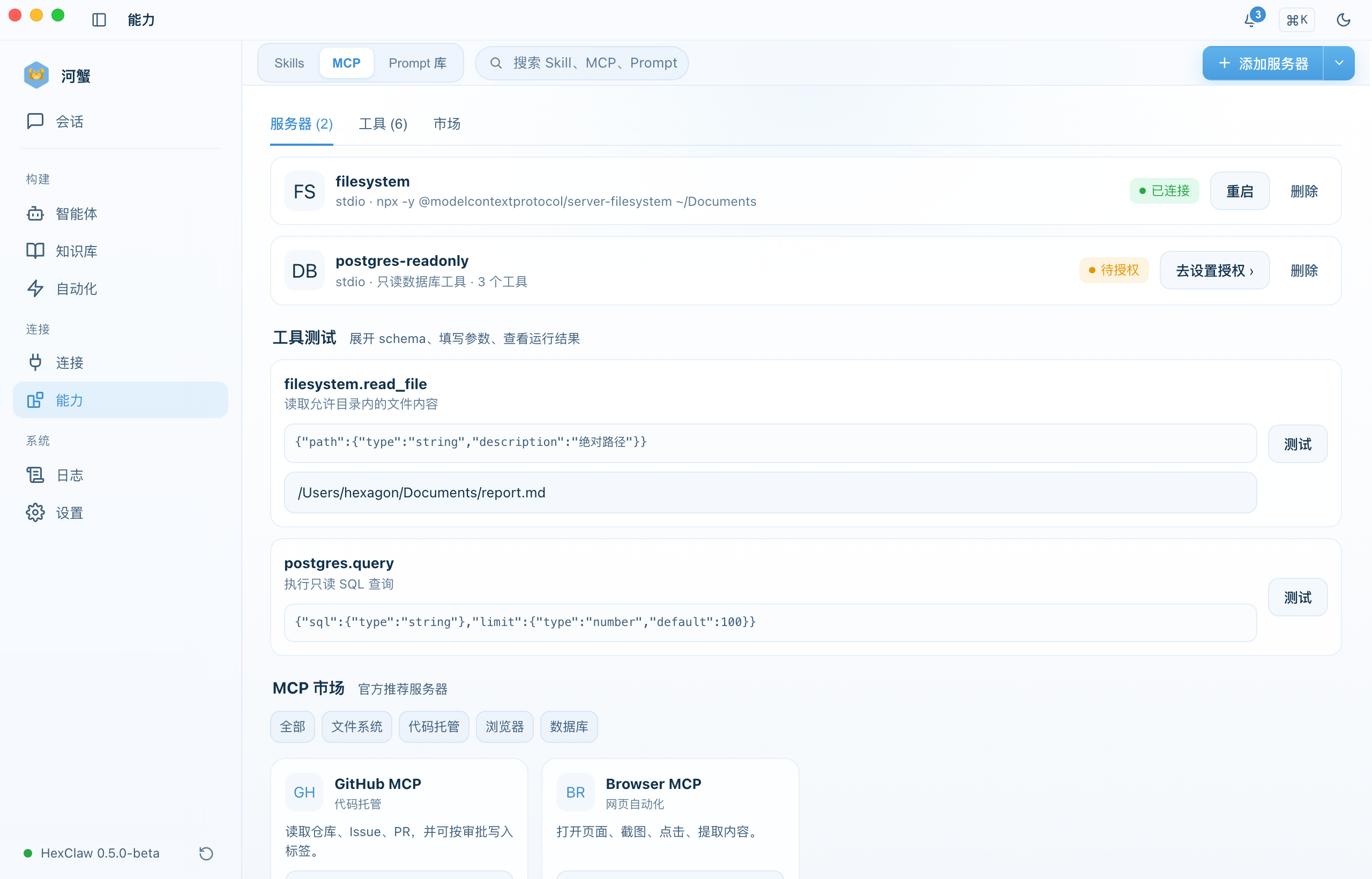
Model Context Protocol (MCP) lets HexClaw agents call external tools and services.
Register an MCP Server
- Open the Integration → MCP tab
- Click "Add Server"
- Provide the server name and connection endpoint
- Select a transport:
stdio,sse, orstreamable_http - Connect and let HexClaw auto-discover available tools
Once connected, MCP tools can be assigned to agents. HexClaw shows live connection state as connected, disconnected, or error.
MCP Server Configuration Example
Below is a JSON configuration example for an MCP server:
{
  "mcpServers": {
    "filesystem": {
      "command": "npx",
      "args": ["-y", "@anthropic-ai/mcp-filesystem"],
      "env": { "ALLOWED_PATHS": "/Users/me/projects" }
    }
  }
}
Knowledge Base (RAG)
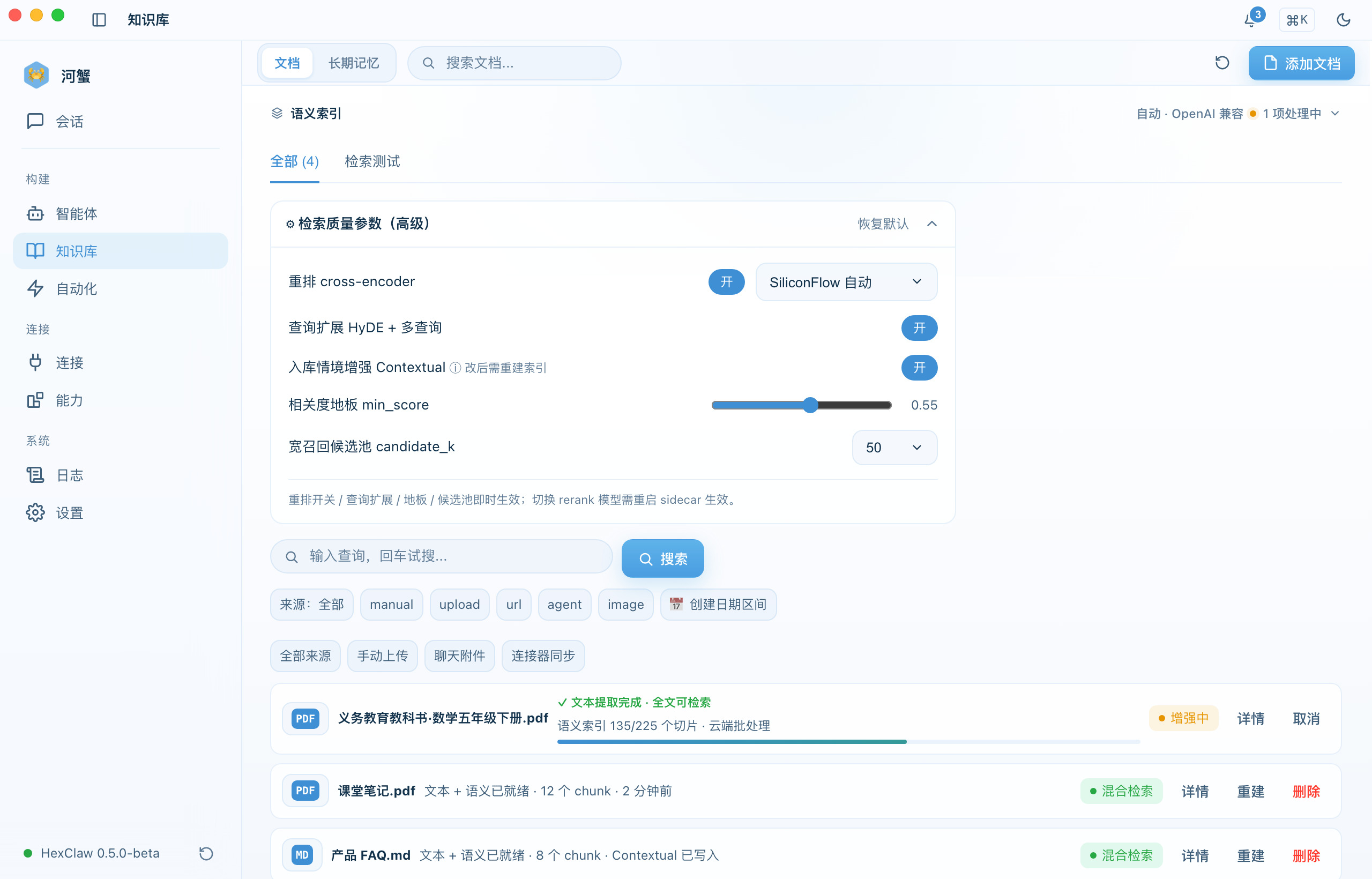
Upload documents to build a private knowledge base that the AI can retrieve from automatically during responses.
Supported Inputs
- PDF, Markdown, and TXT files
- Automatic chunking and vector embedding
- Semantic search retrieval
Workflow
- Open the Knowledge Base page
- Upload one or more documents
- Wait for processing to move from
processingtoready - In chat, HexClaw retrieves relevant chunks automatically as context
Semantic Memory
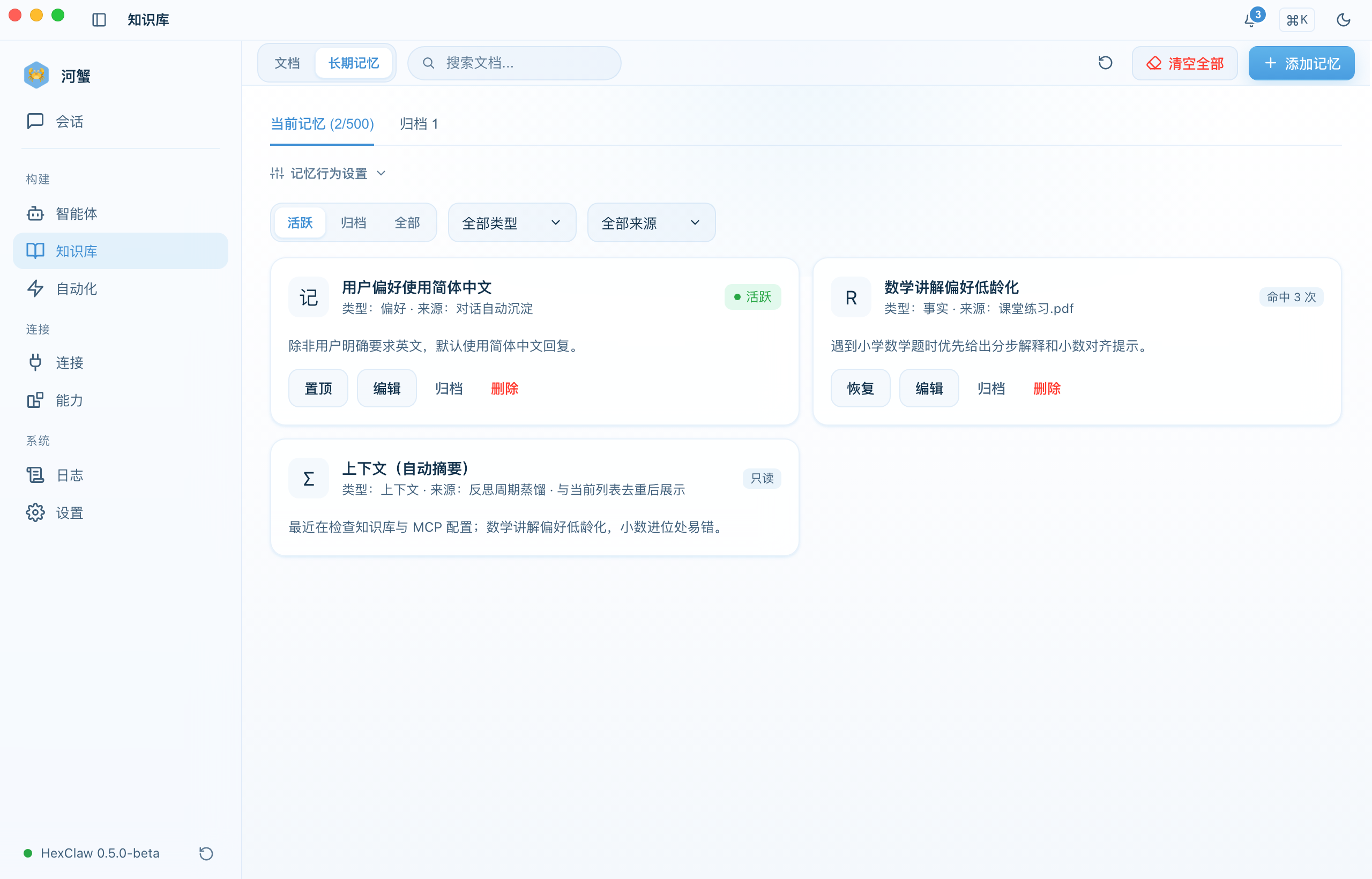
HexClaw can extract and store memory from conversations so useful context persists across sessions.
- Automatic capture - key details from conversations can be saved as memories
- Semantic search - in the Knowledge → Memory tab, search by keyword or semantic similarity
- Type filters - narrow results by memory type
- Manual management - review, delete, or bulk clean entries
Scheduled Jobs (Cron)
Schedule agents to run automatically at fixed times.
Create a Scheduled Job
- Open the Automation → Scheduled Jobs tab
- Click "Create Job"
- Select an agent, enter a cron expression, and provide the prompt
- Enable the job
# Cron expression examples
0 9 * * *      Every day at 9:00
0 */2 * * *    Every 2 hours
0 9 * * 1-5    Weekdays at 9:00
HexClaw also supports manual triggering, execution history, and heartbeat monitoring.
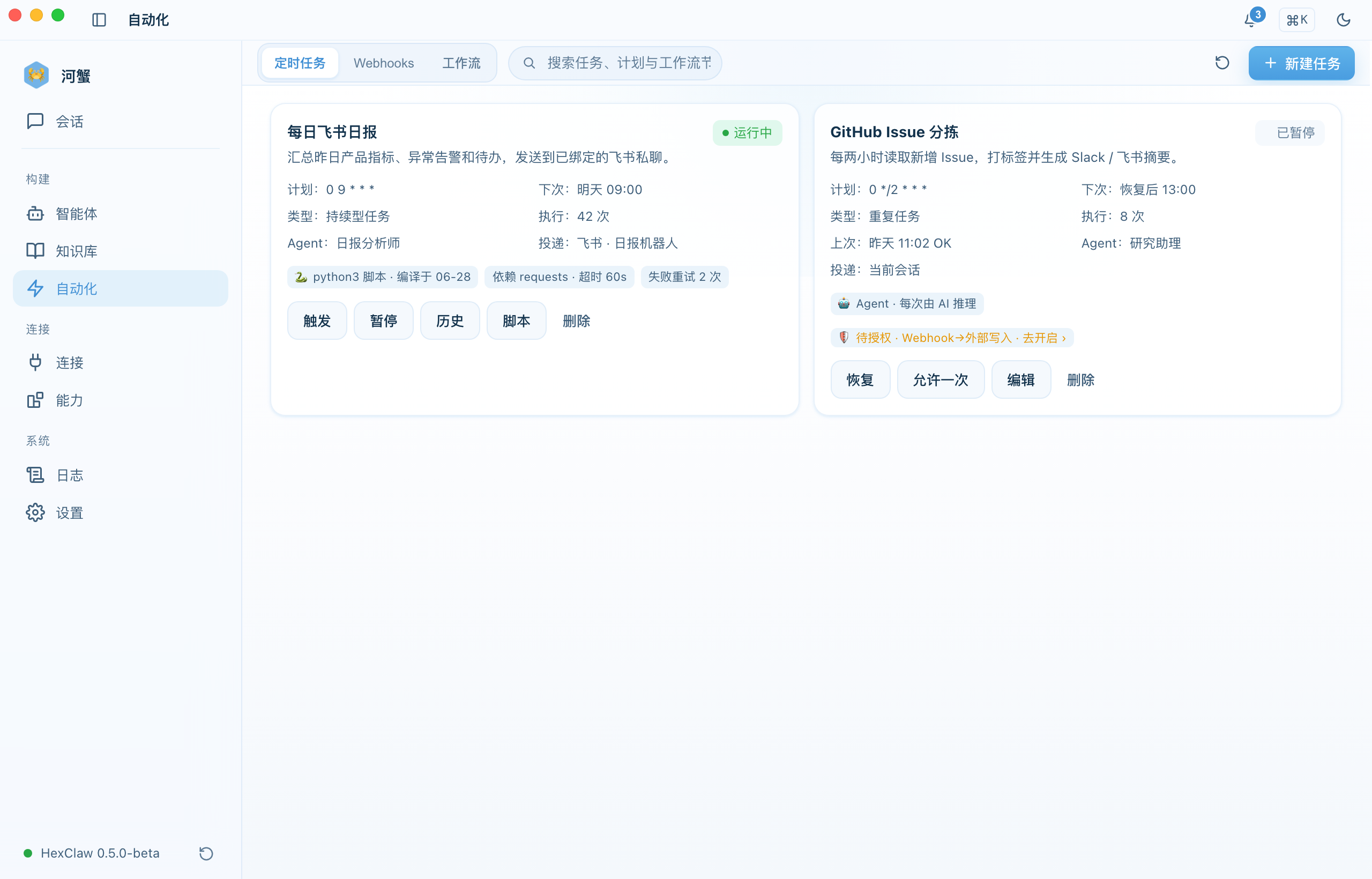
Inbound Webhook Triggers
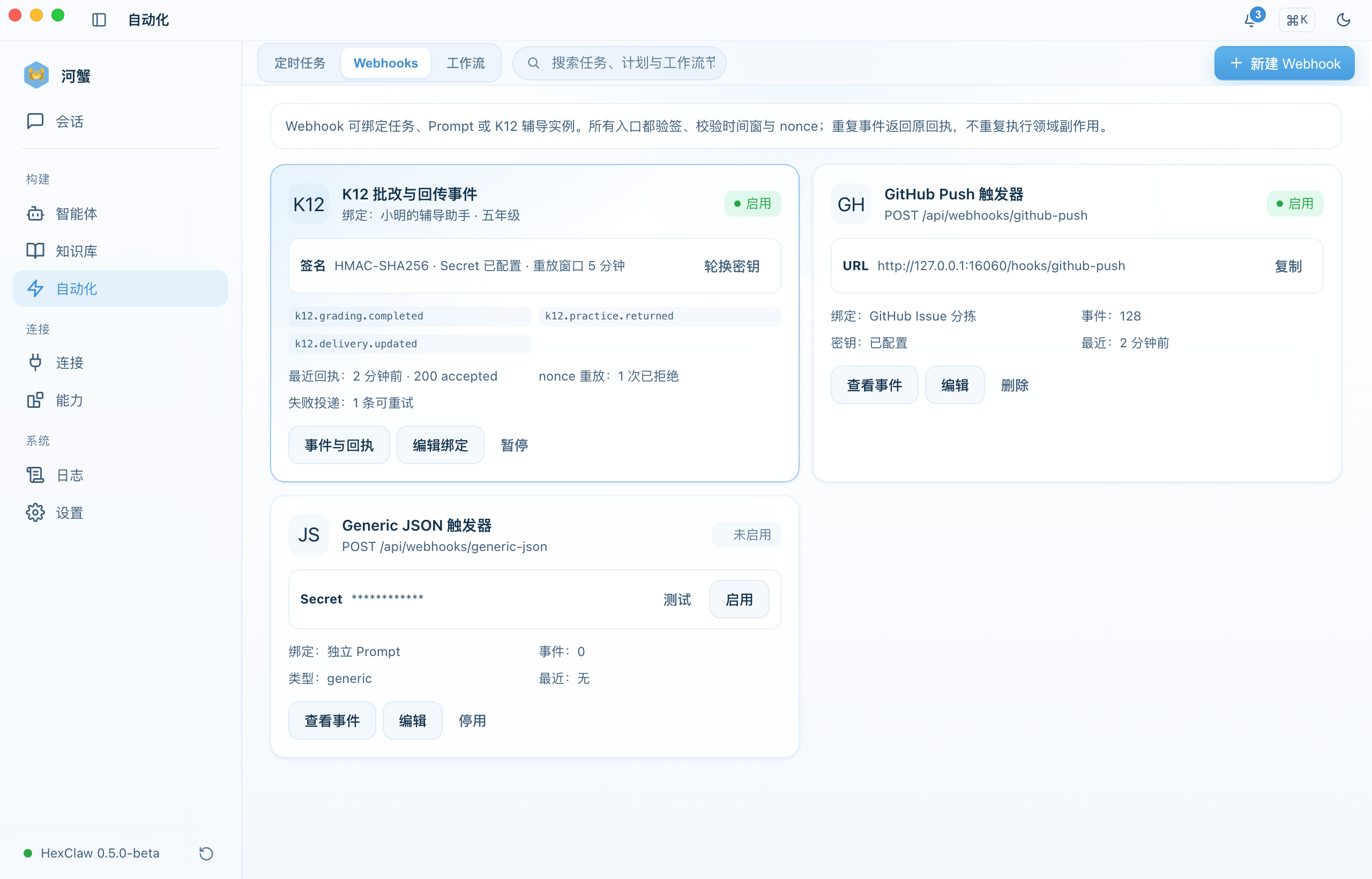
Skill Marketplace
Browse and install skills that extend what agents can do:
- Categories: communication, productivity, development, and data
- Installation: one-click install with per-agent enable or disable
- Ranking: sort by community rating and downloads
- Configuration: some skills expose custom parameters
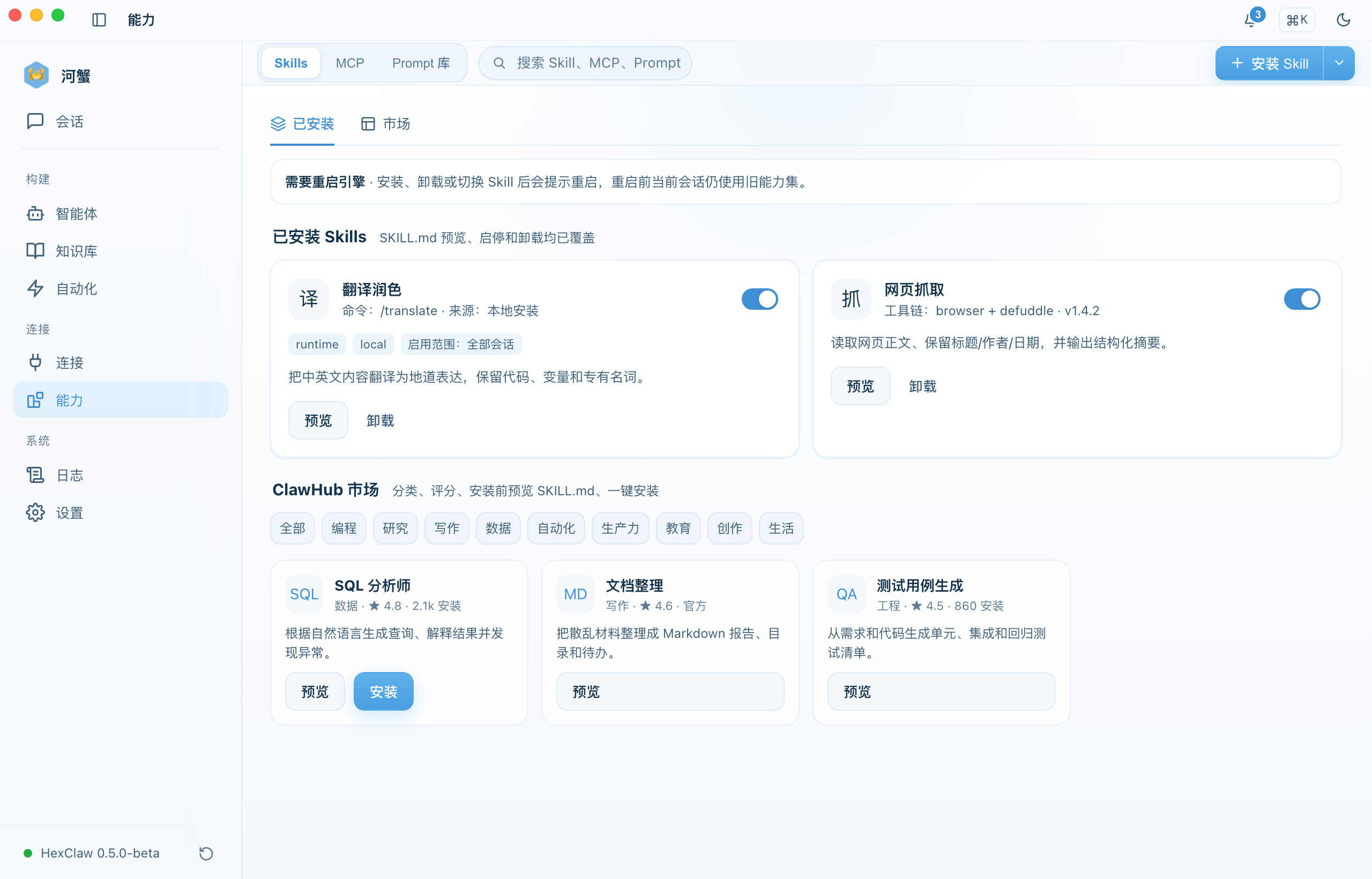
Prompt Library
Security Gateway
Configure these controls under Settings → Security:
| Control | Description |
|---|---|
| Security gateway | Enable or disable request safety checks |
| Prompt injection detection | Detect and block malicious prompt content |
| PII filtering | Filter personally sensitive data automatically |
| Content filtering | Block inappropriate content |
| Token limit | Maximum tokens per request, from 256 to 128,000 |
| Rate limiting | Requests per minute, from 1 to 600 RPM |
Deep Thinking Mode
Switch to the Deep Thinking tab on the chat page, enter a question, and the agent runs multi-source deep analysis with a visible reasoning process:
- Retrieve — gather relevant materials and sources
- Analyze — perform in-depth analysis of each source
- Synthesize — cross-reference and distill key insights, with citations
The reasoning process is shown in real time and can be collapsed or expanded to view the current stage.
Connections · IM Channels
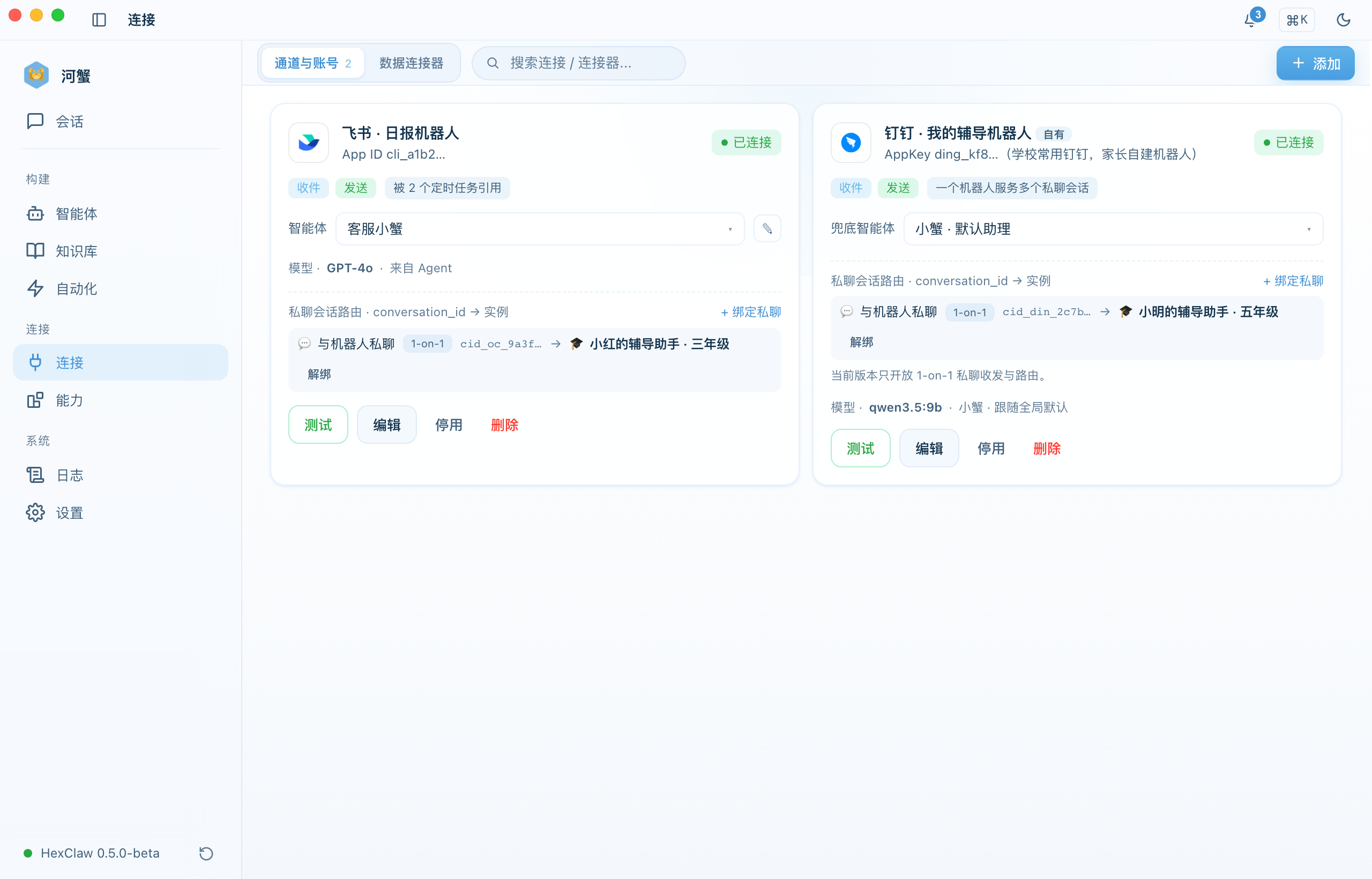
HexClaw can connect to multiple instant messaging platforms, allowing you to chat with AI remotely via mobile messages. Go to the Connections hub (the "Connect" sidebar group) → Channels & Accounts to configure:
| Platform | Configuration | Notes |
|---|---|---|
| Feishu (Lark) | App ID + App Secret | Create an enterprise app on the Feishu Open Platform |
| DingTalk | App Key + App Secret + Robot Code | Create an internal app on the DingTalk Open Platform |
| WeCom | Corp ID + Agent ID + Secret | Create a self-built app in the WeCom admin console |
| App ID + App Secret + Token | Requires a WeChat service account | |
| Slack | Bot Token + Signing Secret | Create an App via Slack API |
| Discord | Bot Token | Create a Bot in the Discord Developer Portal |
| Telegram | Bot Token | Create via @BotFather |
After saving the configuration, you must restart the Engine for changes to take effect. Each platform card has a "Test Connection" button to verify the configuration.
Data Connectors (GitHub / Notion)
Under Connections → Data Connectors, connect GitHub / Notion with a read-only token:
- Paste a PAT / integration token and click Test Connection to verify
- Browse resources directly (real repository / page listings)
- Tokens are encrypted at rest server-side (
enc:v1:); API responses are always redacted
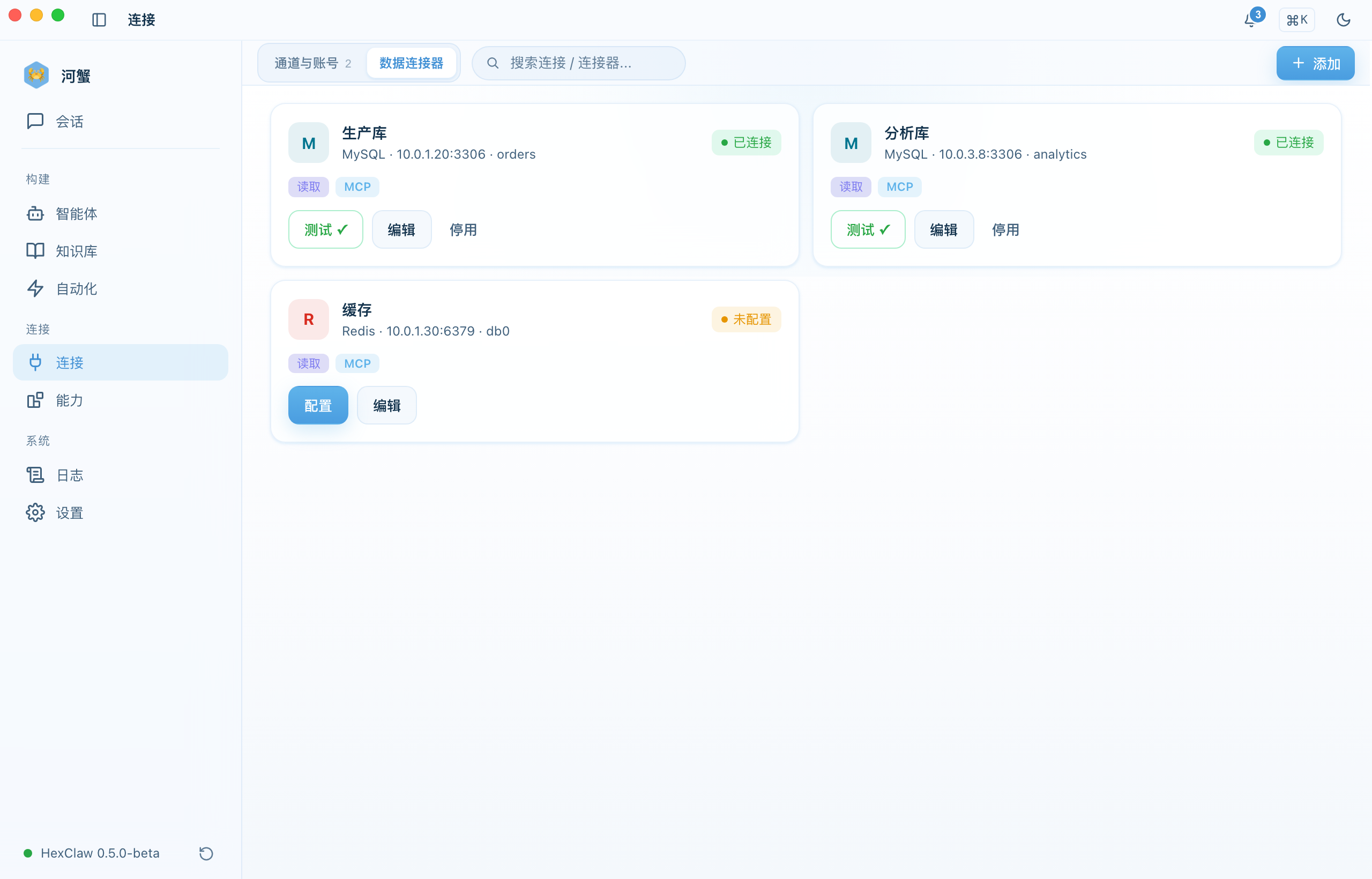
Database Connectors (MySQL / Redis)
Webhook Notifications
Configure webhooks under Settings → Notifications to automatically push alerts when tasks complete, agents finish executing, or errors occur:
- WeCom — robot Webhook URL
- Feishu — custom robot Webhook
- DingTalk — group robot Webhook
- Custom — any HTTP POST endpoint
Each webhook can be configured with trigger events: task completion, agent completion, and error notifications.
ClawHub Skill Marketplace
In the Integration → Skills tab, browse and install skills from the OpenClaw community:
- Filter by category: programming, research, writing, data, automation, productivity
- Search by keyword for quick discovery
- One-click install; view installed skills in the "Installed" tab
- Each skill shows author, version, download count, and tags
You can also import skill files in .md format via local installation.
Logs & Observability